
Is the Timetec 32GB DDR4 2133MHz RAM Worth Buying in 2025? [Unboxing for AI + Blender Build]
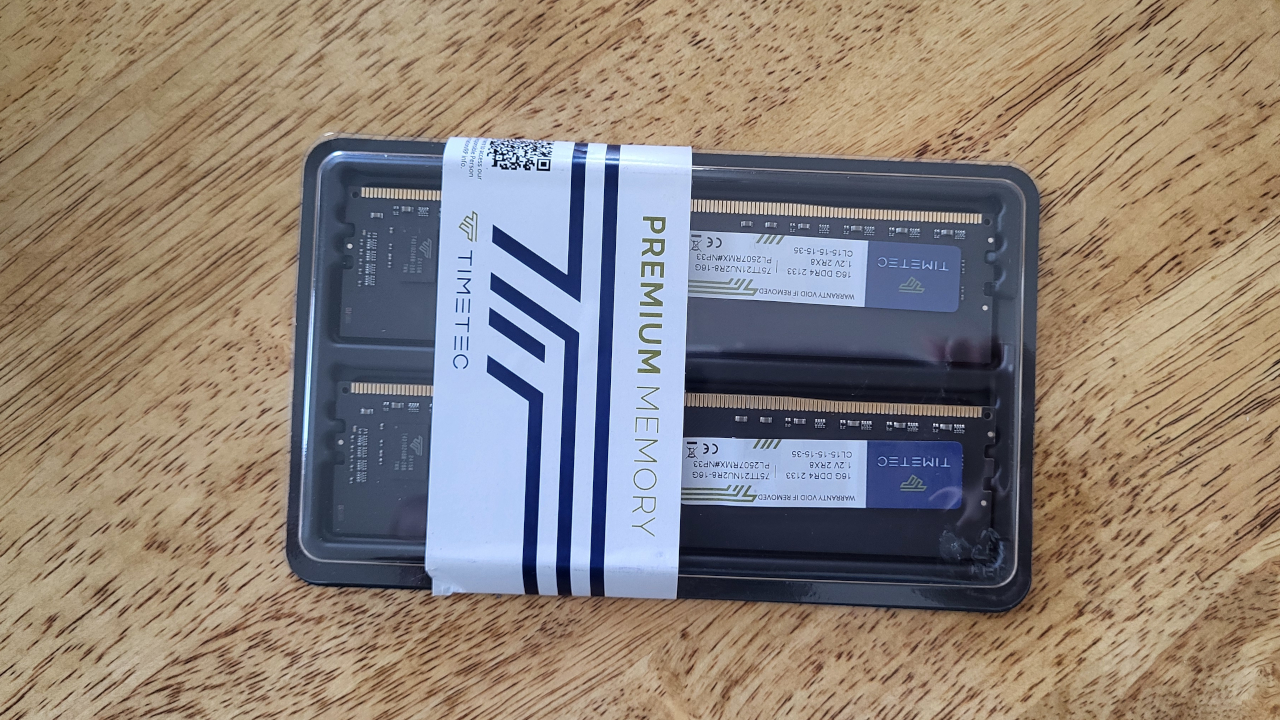
As part of a new PC build focused on AI development and 3D modeling in Blender, I just unboxed the Timetec 32GB KIT (2x16GB) DDR4 2133MHz RAM. In this post, I’ll go over the specifications, share my initial impressions from the unboxing, and provide context on how it fits into the rest of my build.
This post is a preliminary review – testing and benchmarking will come later. I’ll also be embedding a YouTube live screencast (see below) once testing begins.
What’s in the Box?
- 2x 16GB DDR4 UDIMM modules
- Standard plastic clamshell packaging
- No heatsinks included (bare modules)
- Easy to install with standard 288-pin layout
Specifications of Timetec 32GB DDR4 2133MHz (PC4-17000)
| Feature | Specification |
|---|---|
| Capacity | 32GB Kit (2x16GB) |
| Memory Type | DDR4 UDIMM (Desktop) |
| Speed | 2133 MHz (PC4-17000) |
| CAS Latency | CL15 |
| Voltage | 1.2V |
| Rank & Organization | 2Rx8 Dual Rank |
| Error Checking | Non-ECC |
| Buffered/Unbuffered | Unbuffered |
| Form Factor | 288-pin UDIMM |
| Warranty | Limited Lifetime Warranty (manufacturer dependent) |
System Build Overview
This RAM is going into a new productivity and AI build:
- CPU: AMD Ryzen 5 5600GT (6 cores, 12 threads)
- GPU: AMD Radeon Instinct MI60 32GB HBM2 (AI & compute focused)
- RAM: Timetec 32GB DDR4 2133MHz
- Use Case: Blender (Python Scripting, Rendering), AI Model Training
While 2133MHz is on the slower side by 2025 standards, it’s still viable for non-gaming workloads – especially for Blender scripting and AI tasks that are more memory-bound or GPU-focused.
Stay tuned for performance results and compatibility benchmarks with this unique build.
Screenshots And Screencast


Want to Learn More?
I also teach Python and Blender scripting. If you’re interested in diving deeper into coding or AI development, check out my learning resources below:
- Books:
- Course:
- One-on-One Help:
Final Thoughts (So Far)
While the Timetec 2133MHz RAM is no longer cutting-edge, it remains an affordable and reliable option for AI and Blender-focused builds where raw RAM speed is not the primary bottleneck.
Would I recommend it? Yes, with caveats: If you’re on a budget and not doing high-refresh gaming, this kit will serve well, especially when paired with high-performance compute components like the MI60 GPU.
More to come after testing.
Let me know in the comments if you’ve used Timetec RAM in your own builds, or if you’re interested in learning Python or Blender scripting – I’m here to help.
🚀 Recommended Resources
Disclosure: Some of the links above are referral links. I may earn a commission if you make a purchase at no extra cost to you.